 bonjour ~ bonjour ~
Welcome to the twenties world! I was once told that the twenties are the best years to make an account of precious memories of life, dreams and love–doing so in the most vibrant manner possible.
 : afeeqah azhar, 19 march, malaysian .
+ follow |
Email |
tumblr |
twitter |
ask me
Friends:
chitchat:
tagboard here :)
recent update :
|
My love for polaroid
written on Tuesday, March 22, 2011 @ 7:18 PM ✈
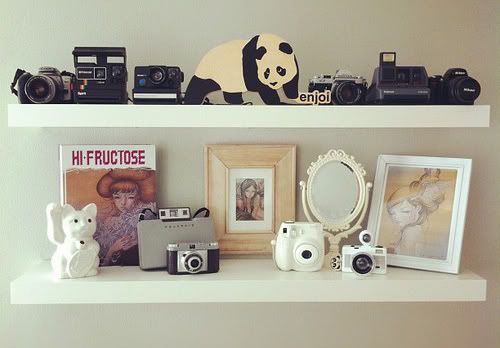
Lomo polaroid madness~ I started to fell in love with lomography and polaroid last year. I love antique things and vintage! I own an instax mini 7's, so i can capture pictures and print them out instantly. Many people think polaroid is a waste of money and time but there are some other alternatives to make your photos look like it is out from a polaroid cam! Introducing, POLADROID. I searched for a polaroid editing software because i usually don't bring my instax everwhere, and i found this on brothersoft. The most downloaded software. You can download this awesome software from http://www.poladroid.net/Only 5.9MB 1. Install it and launch it. You can see this at first  2. And then this fake polaroid cam will appear  3. Drag a picture from your folder, for eg. My Documents straight onto the brown colour spot on the cam where it is stated "Drag and drop here" 4. Then it'll process and process, one piece of polaroid film will appear  5. It'll gradually, slowly turn clearer untill you hear a tone and a red ribbon indicator on the right side of the film  6. Voila! Last resultssssssss wheeee =D     Btw, you can adjust the vignetting level, the material whether its paper/lines. You can also right click to get a sample before the processing is fully done. Just explore more on yourself aite *winks Btw, www.chuckiecotton.com is using the same software coincidentally == xoxo Try and enjoy peeps! Labels: APPS, BROTHERSOFT, FILM, INSTANT CAMERA, INSTAX MINI 7'S, LOMOGRAPHY, MAKE YOUR PICTURES LOOK LIKE POLAROID, PHOTOGRAPHY, POLADROID, POLADROID.NET, POLAROID, TUTORIAL, VINTAGE
How to Add Google Adsense to your Tumblr
written on @ 6:01 PM ✈
 AdSense is an ad serving application run by Google Inc. Website owners can enroll in this program to enable text, image, and video advertisements on their websites. These advertisements are administered by Google and generate revenue on either a per-click or per-impression basis. Recently, more and more friend are using Tumblr. Since it is a free blog and have never restricted to add ads to the free blogs. You may think of to add Google Adsense to your Tumblr. Below will be the exact step, 1. Log into Adsense. 2. As I am using New Interface, you may follow the select “My Ads”. 3. Select on “New Ad Unit” button.  4. Enter the needed field and the important part is to set the Size with “Other – Square 250 x 250 – Square”. 5. Save and get code.  6. Log into Tumblr, click on customize button and select Themes. 7. Look for  8. Paste the Google Adsense Code after the above line, update it.  9 Your Google Adsense is showing as image above. Labels: ADD WIDGETS TO BLOG, EARN MONEY BY BLOGGING, GOOGLE ADSENSE, HTML, TUMBLR, TUTORIAL
|
My love for polaroid
written on Tuesday, March 22, 2011 @ 7:18 PM ✈
Lomo polaroid madness~ I started to fell in love with lomography and polaroid last year. I love antique things and vintage! I own an instax mini 7's, so i can capture pictures and print them out instantly. Many people think polaroid is a waste of money and time but there are some other alternatives to make your photos look like it is out from a polaroid cam! Introducing, POLADROID. I searched for a polaroid editing software because i usually don't bring my instax everwhere, and i found this on brothersoft. The most downloaded software. You can download this awesome software from http://www.poladroid.net/Only 5.9MB 1. Install it and launch it. You can see this at first 2. And then this fake polaroid cam will appear 3. Drag a picture from your folder, for eg. My Documents straight onto the brown colour spot on the cam where it is stated "Drag and drop here" 4. Then it'll process and process, one piece of polaroid film will appear 5. It'll gradually, slowly turn clearer untill you hear a tone and a red ribbon indicator on the right side of the film 6. Voila! Last resultssssssss wheeee =D Btw, you can adjust the vignetting level, the material whether its paper/lines. You can also right click to get a sample before the processing is fully done. Just explore more on yourself aite *winks Btw, www.chuckiecotton.com is using the same software coincidentally == xoxo Try and enjoy peeps! Labels: APPS, BROTHERSOFT, FILM, INSTANT CAMERA, INSTAX MINI 7'S, LOMOGRAPHY, MAKE YOUR PICTURES LOOK LIKE POLAROID, PHOTOGRAPHY, POLADROID, POLADROID.NET, POLAROID, TUTORIAL, VINTAGE
How to Add Google Adsense to your Tumblr
written on @ 6:01 PM ✈
AdSense is an ad serving application run by Google Inc. Website owners can enroll in this program to enable text, image, and video advertisements on their websites. These advertisements are administered by Google and generate revenue on either a per-click or per-impression basis. Recently, more and more friend are using Tumblr. Since it is a free blog and have never restricted to add ads to the free blogs. You may think of to add Google Adsense to your Tumblr. Below will be the exact step, 1. Log into Adsense. 2. As I am using New Interface, you may follow the select “My Ads”. 3. Select on “New Ad Unit” button. 4. Enter the needed field and the important part is to set the Size with “Other – Square 250 x 250 – Square”. 5. Save and get code. 6. Log into Tumblr, click on customize button and select Themes. 7. Look for 8. Paste the Google Adsense Code after the above line, update it. 9 Your Google Adsense is showing as image above. Labels: ADD WIDGETS TO BLOG, EARN MONEY BY BLOGGING, GOOGLE ADSENSE, HTML, TUMBLR, TUTORIAL
|
we live under the same sky
“To put away aimlessness and weakness, and to begin to think with purpose, is to enter the ranks of those strong ones who only recognize failure as one of the pathways to attainment; who make all conditions serve them, and who think strongly, attempt fearlessly, and accomplish masterfully.”
- James Allen Quotes
Sometimes I wonder how people see me and what they think of me. It scares me a bit, honestly. I am sure though, that what they think of me,
what they think my life is, is a complete misperception. I have always tried to show myself as a carefree person, as someone who wont get bothered
because of public judgements. I am sure my friend and family think there is nothing going wrong in my life, that I do not worry enough, that
I am always happy. And I am sure they probably somewhat hate me for it because, lets admit it, there is nothing worse than seeing someone
who is life seems so perfect while yours is a complete mess. Truth is, I have become an expert at pretending. I think we are all experts
or at least we are getting there.
|
my sunshine
links exchanged opened! just tag me but link me first
|
link
coming soon....
|